
The new, 2024 version of SketchUp has several new features, there are no significant changes to the toolsets but the way the software works has changed.
It used to be that a file could be saved as any previous version of Sketchup, so that it could be opened in old, classic licences and by users who had chosen not to upgrade. Ver2024 is “versionless”. It can, as a 2024 file be opened in previous versions as far back as 2021.
Since its release all Heap files are created in 2024. We need to take advantage of extensions and toolsets not available in previous releases. We also need to ensure that Revit and Vectorworks users can access the files and those software products are optimised for the latest SketchUp versions.
The New Ambient Occlusion feature (a sophisticated shadow tool, found in styles/ edit) adds a depth to images, even without the shadow tool being switched on. However, as with all “aesthetic” adjustments to a model (shadows/ textures/ profile) running it will add a burden to your computers graphics engine, and the model will become less responsive.
Set up a unique scene with Ambient occlusion and shadows activated and then do your regular modelling in another scene (“working” is my default name) This allows you to switch between the two to see the effect changes to the model make but keeps the working side of model creation as light and responsive as possible.
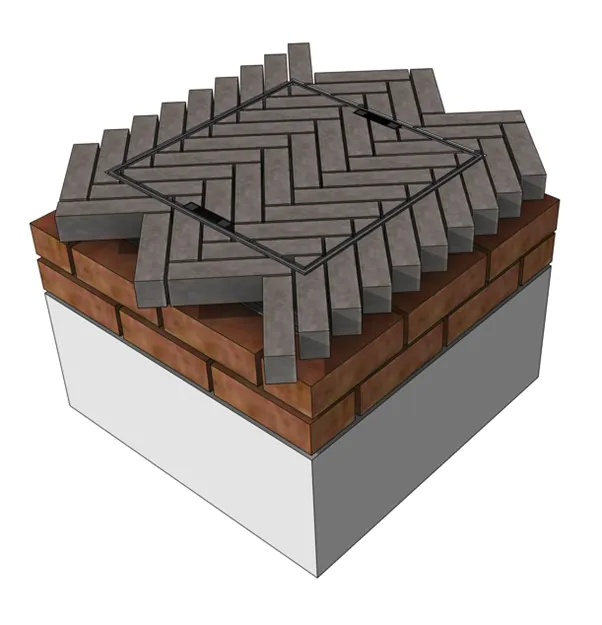
Regular Shadows
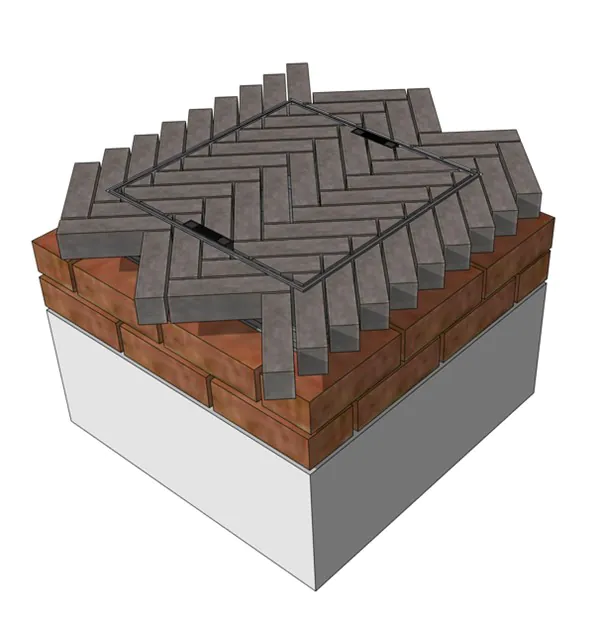
Regular shadows + ambient occlusion
2D people and cutouts
Adding people (and animals) into SketchUp scene adds scale, “humanises” am environment and can allow a viewer to better visualise themselves used the space. Its often useful to use 2D images rather than 3D. These are often derived from photographs and so feature actual people and are very light on geometry (consisting of only the border/ edge). The 3D warehouse has lots, but it is useful to have other sources, if only for variety or when you have specific requirements.
www.mrcutout.com has a free section, which also includes a small plant selection
www.cutoutpeople.com have a large selection, although these are not free
www.skalgubbar.se is a rather unique, and free library. Read Teddor’s story on the “read me” page
www.nonscandinavia.com/about is a resource where the emphasis is not on northern Europeans. The about page has links to other sites
www.humano2d.com has a free plan that allows 30 images a month
If you have access to Adobe (Creative Suite/ Photoshop/ Express) there is a new generation of background removal tools. Its never been easier to create your own 2D people.
Adobe Max, the annual conference and launch event for Adobe software was held in London a week or so ago. It’s worth watching the highlights just to be aware of the tools that are available and how imagining software is developing.
Ever wanted to model a tree in SketchUp? Perhaps not, but understanding how it can be achieved is interesting.
Aaron (the SketchUp guy) recently put out a YouTube video on this, however his method is based on Alejandro Soriano’s technique, the video is in Spanish but it’s not hard to follow along if you are familiar with SketchUp’s menu structures.