
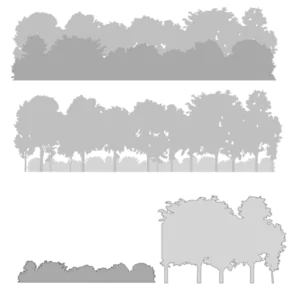
- We have added a new SketchUp resource to the Layout library: Tree lines. These are vector-based backgrounds designed to sit behind or alongside your garden elevations and construction details. The colour of the fill/ tonal value and shape can all be edited. They can be stacked in a different order or have sections removed. To add them to your own scrap book:
- Open the Layout file
- Save as Scrapbook (leave the default name unless you have created your own)
- The files will be instantly available in your scrapbook
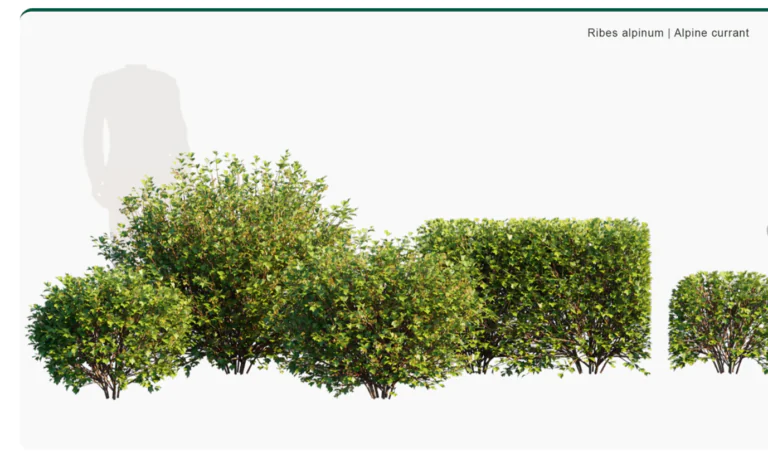
- If you use a render software to enhance your SketchUp model presentations, you’ll know that whilst there are plant libraries available they are often generic and might not give the effect you want.
- External libraries are often generic (.fbx files are common) and whilst these can be imported into the render they usually come at the cost of file size (huge) so you can’t add too many.
Some external libraries are now starting to offer plants that are species accurate and in formats to suit specific software.
Globe plants for example now offer Twinmotion specific file types
- SketchUp ran a live modelling session recently where Eric created a landscape construction detail. The process is similar to the one that I use. The noticeable difference being that I create unique models of all construction elements (eg blocks and pavers) in advance and use then to build the feature rather than trace over a previously drawn version. I try not to issue files with the Ambient Occlusion style shown on drawing sets, simply to keep the file size as small as possible. You can easily reactivate it in SketchUp, update the scene and resave and the Layout view will reflect the changes.
- There is a new extension for SketchUp (free) AXYZ. This adds a “widget” to the end of your mouse that allows you to move scale and rotate without having to use a keyboard or main menu picks. It’s a common feature on other software such as TwinMotion. It can take a little getting used to but makes the modelling process a little smoother. You will need to download the Extension manager from SketchUcation to find it and install. If you don’t already use SketchUcation for extensions, then you are missing out on many great ones that are not available through the SketchUp Extension Warehouse.