
There have recently been a series of posts and video shorts on the SketchUp Youtube channel which have been particularly relevant for landscape and garden design. Topics covered inc:
Draping linework on terrain
Schematic diagramming in Layout
Berms and bioswales
Steep terrain from contours
Whilst we are on the SketchUp Youtube channel, its worth looking at their Deep dive into Add location. This feature had a big update with 2024 (I was part of the beta tested for this). The use of imported maps has been improved but especially useful is the function to adjust the direction of north (which used to require the installation and use of the Solar North extension)
The SketchUp Essentials channel on Youtube (Justin Geiss) also has some helpful tutorials:
Solid Tool secrets
Modelling a complex deck
How to curve a texture (forget the demonstrated arch and think paving edge)
Sloping roads,
To name a few.
Did you know SketchUp has a series of follow along Tutorials (free)?
Known as SketchUp Campus, they inc download files and often extend to several lessons.
Ambient occlusion
Are you using the ambient occlusion feature in SketchUp? (The SketchUp Essentials has a video on this). I Like the look it gives but find that it does make my models slow. As it is an easy feature to turn on and off, I have chosen to disable this style when exporting files into the Heap library. You can of course apply the style for yourselves
Subscriptions
There are several subscription options for SketchUp.
It’s the end of the academic year (for most) so these might be of interest(all exc vat):
SketchUp student (the full Studio suite): £47.00
SketchUp (Pro) Graduate: £250.00
SketchUp Pro (standard): £285.00 (in the current sale)
Prices as provided by Cadsoft Soutions
More images to use in Layout
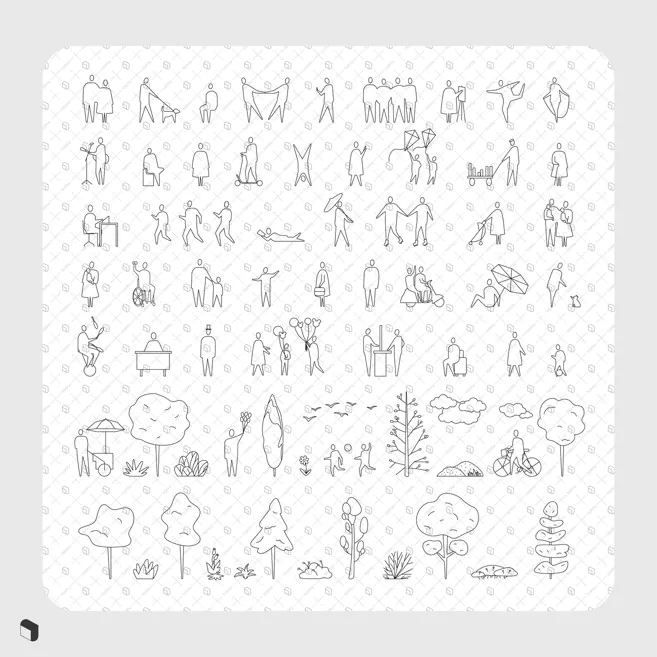
Vector “cad blocks” of plants/ trees/ people are available from Toffu. They can make unusual background and entourage elements for 2D drawings sets in Layout. Whilst not free they are pretty reasonably priced at $5-7/ set
Different and stylised
How to make a construction detail in SketchUp (pro)
I will be running a free-to-attend SketchUp class/ demonstration of how to create a construction detail in SketchUp and Layout. I expect it to last about 1hr and am open to any suggestions on what you would like to see me model. It might be a simple wall/ a pergola/ paving detail etc. This isn’t a class to solve a particular construction problem but a demonstration of the work flow I use. I will make the recording and files available to attendees.
Your suggestions to info@paulhensey.com